Know where it stands
Subtle activity indicators show when saving is starting. Follow file progress and saved-item counts. If part of a download fails, retry the unfinished items.
 SeaFetch
A small app for the things you want to keep
Preview public Instagram, YouTube, TikTok, X and Bluesky links.
Choose your media and quality. Save them to your device.
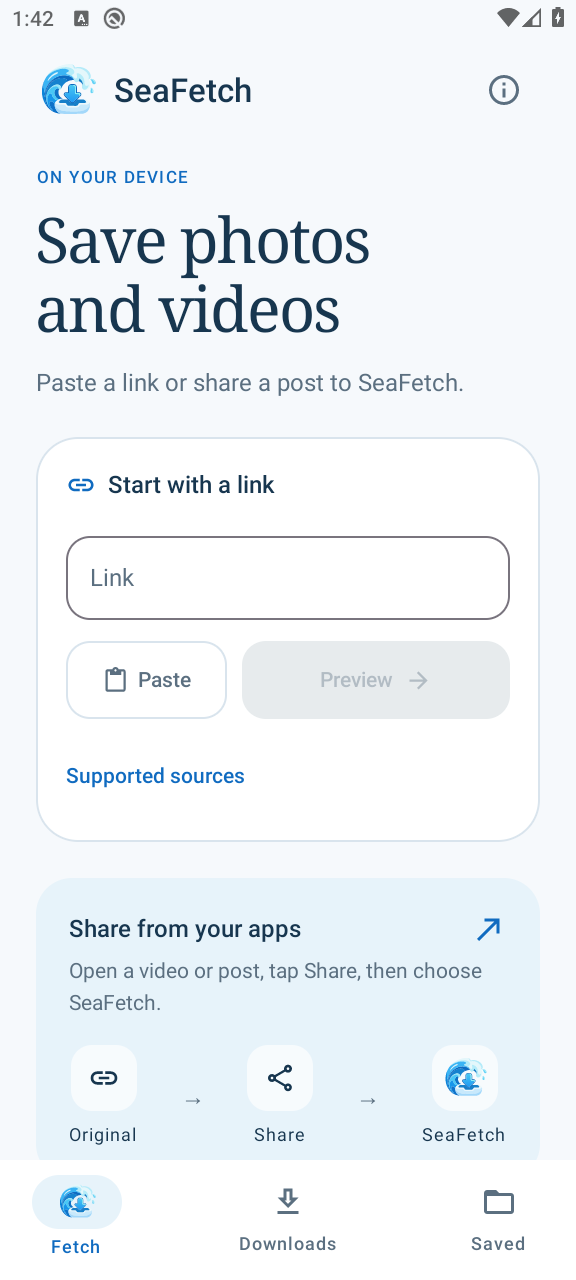
Preview. Choose. Save.
Paste a supported public video or post link, or share it to SeaFetch from your apps.
Pick carousel items and an available video quality. See its size estimate before saving.
Your files go to Downloads / SeaFetch. Open them from Saved, even when you’re offline.
While it downloads
Subtle activity indicators show when saving is starting. Follow file progress and saved-item counts. If part of a download fails, retry the unfinished items.
Saved thumbnails and bubbles mark each arrival. Fast batches arrive as a small stack with a clear file count. The success message fades away, or you can swipe it aside. Your files stay in Saved.
Downloads can continue when you leave the app. Network, battery and Android restrictions can still pause or stop them.
Your device, your files
Your phone connects directly to the source platform and its media servers. Your SeaFetch history stays on your device.
Those services still receive your IP address and requests. SeaFetch doesn’t make you anonymous.
Read the privacy policyBefore you start
Files can finish faster than the animation. New arrivals join the current stack of up to three thumbnails, with a label showing the full file count. Preview thumbnails are prepared ahead of time to keep arrivals smooth. Check the saved total and View files; fewer animation cycles don’t mean fewer files were saved.
Clear finished history in Downloads to tidy the list while keeping your files. In Saved, select files and confirm deletion to remove them from your device. History clearing offers Undo; file deletion is permanent.
The initial preview checks details, thumbnails and quality options. Tapping Play streams video and uses your connection. Tap Save to keep a file on your device.
Accessible public Instagram Posts, Reels and carousels; individual YouTube videos, Shorts and TikTok videos; X posts containing up to four photos or one native video; and Bluesky photo posts with one to four images. The 1.4.3 build also supports public Threads photos, MP4 videos and mixed carousels of up to 20 items. Availability depends on the source and network. Only save media you own or have permission to download.
TikTok photo posts, Reddit, Vimeo, Instagram Stories, private content, playlists, live streams and separate music-track extraction aren’t available. X mixed or multiple-video posts, quotes, reposts and GIFs, and Bluesky videos, quotes and separate galleries are also unsupported.
Choose Data saver, Balanced, High quality or Best available when the source offers distinct options. Sizes marked ≈ are estimates; unknown sizes stay clearly labeled. Photos use the largest version SeaFetch can access; this may differ from the original upload. When video and audio arrive separately, SeaFetch combines them into one MP4 on your device without re-encoding.
Leaving the app doesn’t cancel a transfer. Android manages the background work, so connectivity, battery restrictions, force-stop or other system limits can interrupt it. Check Downloads and retry unfinished items if needed. Retry keeps completed items and restarts an incomplete file.
Downloads / SeaFetch in shared device storage. They remain there if you uninstall the app. Delete them with your file manager whenever you want. The current limit is 512 MiB (about 537 MB) per output. Size estimates may differ from the final file.
Android 10 or later with a 64-bit ARM64 or x86-64 system. SeaFetch requires a 64-bit system.
No. SeaFetch is independent and is not affiliated with the supported platforms.
Private Android testing
Version 1.4.3 is prepared for internal testing, with public TikTok videos and Threads photos, videos and mixed carousels. Phone acceptance and Google Play enrollment are pending.
Have a question or want to help test? Send a note with your Android version and phone model. Invited testers can use the testing and feedback guide.
Contact for testingShared support inbox: wearstream.support@gmail.com